Traffic Strategy · Beginner-Friendly

Pinterest Traffic for Beginners:
Turn Pins Into Blog Visitors

Learn how to use Pinterest like a search engine, create pins that get clicks, and build a traffic source that supports your blog while your Google rankings grow.

📌 Perfect for bloggers, niche site builders, and beginners who want more traffic without waiting entirely on Google.
How Pinterest Traffic Works
✍️
Publish a blog post
Helpful, searchable content
📌
Create a pin
Visual + keyword-optimized
🔍
Pinterest surfaces it
Search & smart feed discovery
👆
User clicks through
Real traffic to your site
📈
Traffic keeps coming
Pins can work for months
Why Pinterest Still Matters

Why Pinterest Still Matters for Blog Traffic

If you are trying to grow a blog, one of the hardest parts in the beginning is getting people to actually see your content. Google traffic can take time. Social media can be inconsistent. And if you are new, it can feel like you are publishing into a void.

Pinterest gives bloggers and online business owners a way to put their content in front of people who are actively looking for ideas, solutions, inspiration, and step-by-step help. Unlike many social platforms, Pinterest content can continue to surface over time. A good pin can send traffic well beyond the day you publish it.

That does not mean Pinterest is magic. It still takes strategy. But it can be one of the most beginner-accessible traffic channels because you do not need a huge audience to start getting results. You need the right content, the right pin structure, and the right setup.

Pinterest is not just social media. It behaves much more like a visual search engine—and that changes everything about your strategy.

Pinterest By the Numbers
500M+
Monthly active users
96%
Searches are unbranded
85%
Use it to plan purchases
Long
Pin lifespan vs other platforms
Why It Works for Beginners

Why Pinterest Can Be a Smart Traffic Source for New Bloggers

One reason beginners get discouraged is because they expect immediate traffic from every post they publish. Pinterest offers a different path—here is why it works.

👤
You Don't Need a Huge Following

Unlike platforms where reach depends heavily on follower count, Pinterest can surface your content based on relevance, keywords, visuals, and engagement signals—not how popular your account already is.

Your Content Keeps Working

A pin does not necessarily disappear after one day. Strong content can continue getting shown over time, which makes Pinterest feel much closer to search than traditional social posting.

📋
It Works With Helpful Content

If your blog teaches, explains, compares, or guides, Pinterest is a strong fit. Tutorials, how-to posts, beginner checklists, tool roundups, and strategy posts often translate beautifully into pins.

🔀
It Helps Diversify Traffic

Depending only on Google is risky. Pinterest can become one part of a broader traffic strategy so your site is not tied to a single source—giving you resilience as your blog grows.

Is It Right for You?

Is Pinterest Right for Your Blog?

Pinterest is not equally strong for every niche, but it works especially well when your content has visual appeal, practical usefulness, or strong search intent. It performs particularly well for topics with solution-based potential.

Blogging Passive Income Side Hustles Personal Finance Productivity Health & Wellness Education Printables Home & DIY Small Business Online Tools Beginner Guides

A good test: if your article can be turned into a clear promise or visually appealing idea, it may work very well on Pinterest.

📌 Strong Pinterest Angles for This Site

  • How to Start a Blog
  • Affiliate Marketing Basics
  • Passive Income Ideas
  • Online Business Tools
  • SEO for Beginners
  • Content Workflows
  • Monetization Steps
  • Traffic-Building Systems
  • Beginner Checklists & Guides
  • Step-by-Step Tutorials
Strategy Shift

Pinterest vs. Google: What Changes?

Google and Pinterest are both discovery platforms—but they work very differently. Your strategy needs to adapt to each one.

🔍 Google
Discovery Format
Text-first search results
Content Unit
Article / page ranking
Primary Driver
SEO, depth, authority
User Behavior
Compare results carefully
Trust Building
Slower, authority-driven
Design Role
Less important
📌 Pinterest
Discovery Format
Visual-first pin feed
Content Unit
Pin image + keyword pairing
Primary Driver
Relevance + visual appeal
User Behavior
Scan quickly, click on appeal
Trust Building
Faster initial curiosity click
Design Role
Critical — visuals drive clicks
1 Foundation

Build a Strong Pinterest Foundation

Before you start pinning, set up your account so Pinterest understands who you are, what your content is about, and where your traffic should go.

Use a Business Account

A business account gives you access to analytics and professional features. It also signals that you are using Pinterest intentionally as part of your online business.

Claim Your Website

Claiming your website helps connect your domain to your Pinterest presence. It improves credibility and gives you better attribution and tracking.

Write a Clear Profile

Your bio should tell people what kind of content you share and who it is for. Example: "Helping beginners build passive income through blogging, SEO, content strategy, and online business systems."

✅ Pinterest Setup Checklist

Switch to a business account
Claim your website/domain
Write a keyword-aware bio
Add a recognizable profile image
Set consistent brand colors
Create "Blogging Tips for Beginners" board
Create "Passive Income Ideas" board
Create "Affiliate Marketing Tips" board
Create "SEO for Bloggers" board
Create "Content Marketing Strategy" board
Enable analytics tracking

🔑 Where to Use Keywords on Pinterest

Profile bio and name
Board titles
Board descriptions
Pin titles
Pin descriptions
Image text overlays
Destination blog post content

Pretty gets attention. Relevant gets found. Clear gets clicked.

2 Pinterest SEO

Learn the Basics of Pinterest SEO

If you want traffic from Pinterest, you have to think beyond pretty images. Pinterest needs context. It uses keywords and engagement signals to understand what your content is about.

Start With Search Suggestions

Type a topic into Pinterest search and look at the suggested phrases. These show you exactly how users are searching—and what language to use in your own pins.

Match Pins to Content Intent

Your pin should clearly match the content it leads to. If the pin promises one thing and the blog post delivers something else, users will bounce and the pin will perform worse over time.

Use Clear Language

Do not overcomplicate titles. Pinterest often rewards clarity more than cleverness. Specific, benefit-driven titles outperform vague or clever ones every time.

3 Pin Design

Design Pins That Earn Attention

A great blog post can fail on Pinterest if the pin design does not stop the scroll. The visual is often the first thing users notice, so your design has to communicate usefulness quickly.
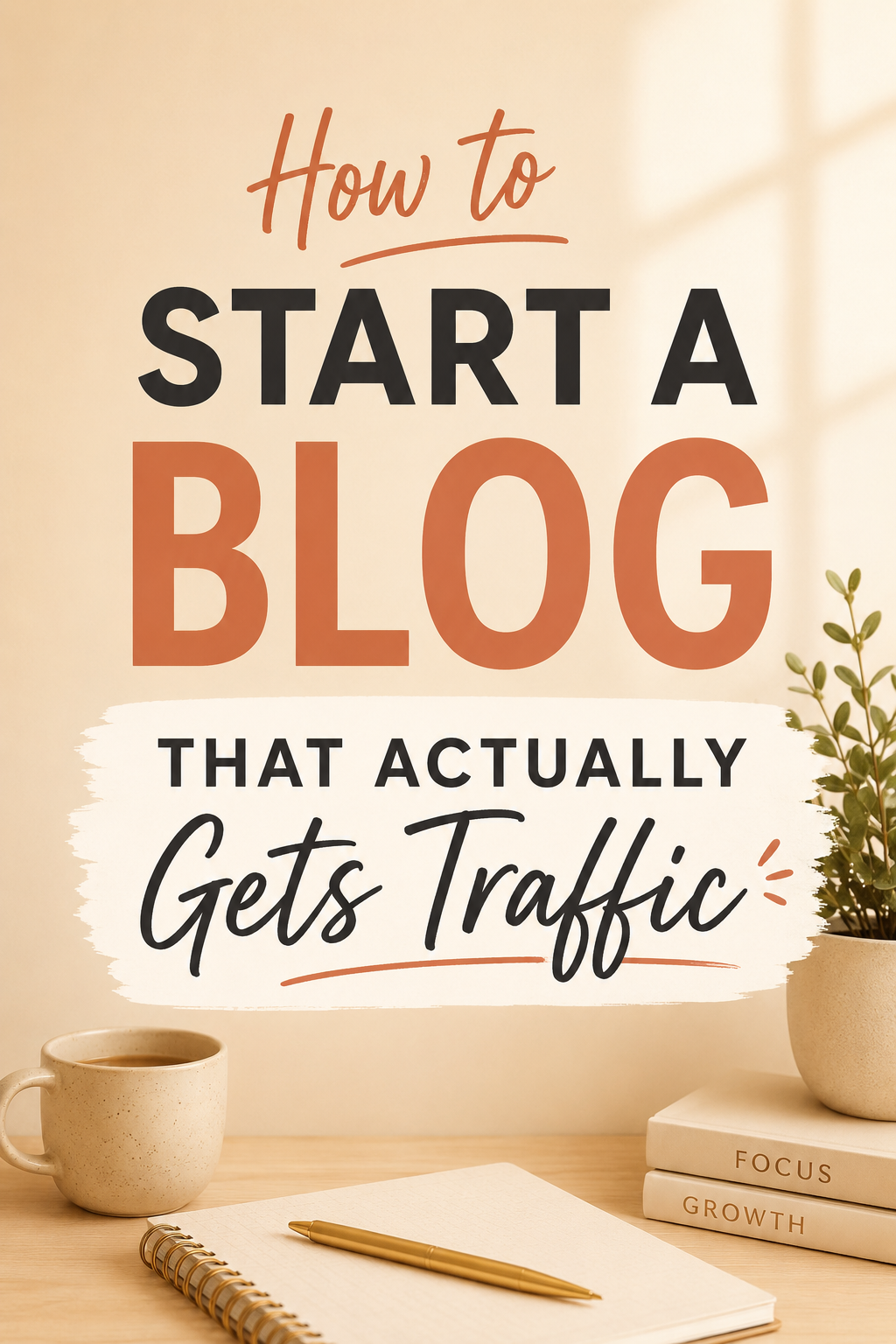
How to Start a Blog
That Actually Gets Traffic
joelspassiveincome.com
Style 01
Clean Educational Pin

Warm background, clear headline, minimal clutter. Works well for how-to guides and step-by-step content.
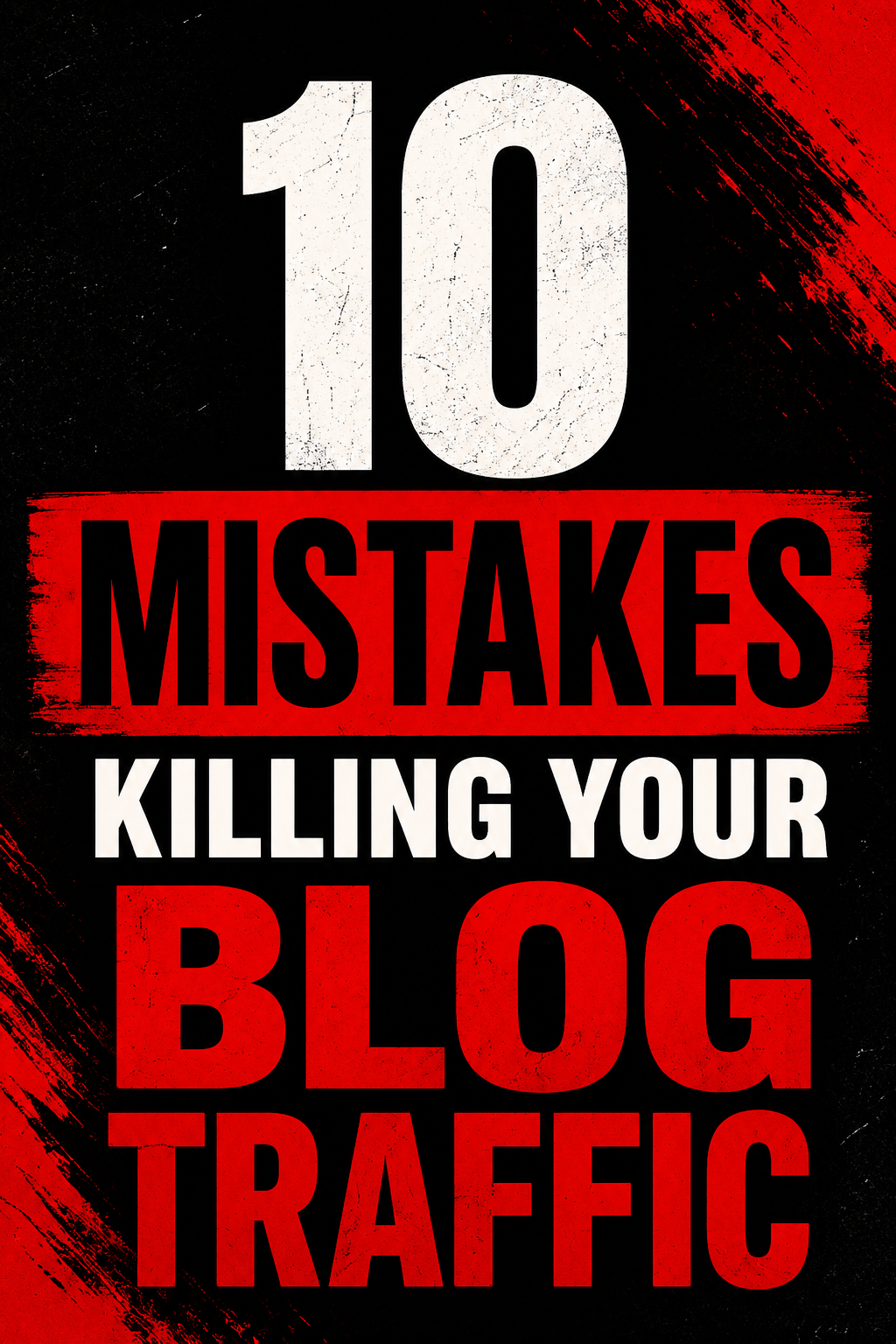
10 Mistakes Killing
Your Blog Traffic
joelspassiveincome.com
Style 02
Bold Results-Driven Pin

High contrast, commanding type, curiosity-gap headline. Strong for listicles and "mistakes to avoid" content.
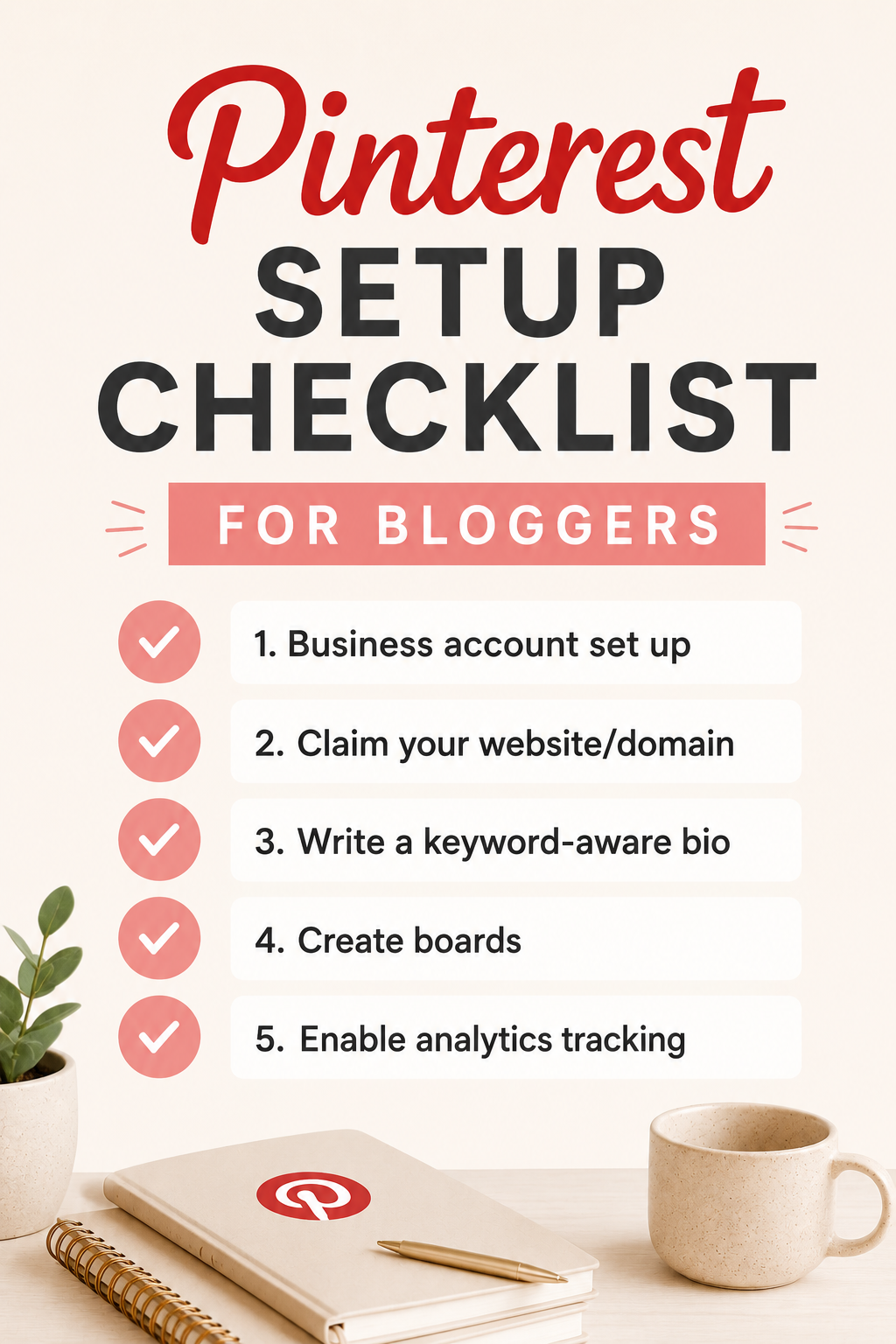
Checklist
Pinterest Setup
Checklist for Bloggers
☑ Business account set up
☑ Website claimed
☑ Boards created
Style 03
Checklist-Style Pin

Minimal, organized, immediately useful. Works perfectly for checklists, frameworks, and planning content.

One article can support multiple pins. Test at least 2–3 different designs, headlines, and angles per post.

Pin Copy

Pin Titles That Get More Clicks

Pin titles matter because they carry both keyword relevance and click appeal. The best ones are specific, benefit-driven, and easy to understand instantly.

Weak Titles

Blog Tips
Pinterest Help
Make Money Online
Traffic Ideas
Blogging Advice
Pinterest Marketing

Better Titles

How to Start a Blog That Makes Money
Pinterest Traffic for Beginners: Step-by-Step
Passive Income Ideas for New Bloggers
How to Get Blog Traffic From Pinterest
10 Pinterest Mistakes That Kill Clicks
Pinterest Strategy for Bloggers in 2026
4 Content Strategy

Publish Content That's Easy to Promote on Pinterest

Pinterest does not fix weak content. It amplifies content that already has a clear promise. The best blog posts for Pinterest usually have one or more of these qualities:

  • Clear transformation or outcome
  • Obvious practical utility
  • Strong visual potential
  • Beginner-friendly appeal
  • Searchable, specific topic
  • Structured, easy-to-scan sections

Create content that is easy to explain in one image. If you can't summarize it visually, it may need sharpening.

📝 Best Post Types for Pinterest

Step-by-step guides and tutorials
Numbered lists (e.g. "10 ways to…")
Beginner checklists and frameworks
Tool roundups and comparisons
Templates and fill-in-the-blank resources
Mistakes to avoid
Beginner's guide to [topic]
Income / results breakdowns
5 Workflow

Create a Pinterest Workflow You Can Actually Sustain

The biggest mistake many beginners make is treating Pinterest as all-or-nothing. Build a repeatable workflow instead—one that stays connected to your content engine.

1
Publish One Strong Article

Start with content that has a clear promise and beginner-friendly structure

2
Find 3–5 Pin Angles

Pull out different hooks, outcomes, and curiosity triggers from the post

3
Design 2–3 Pin Versions

Create varied layouts, headlines, and visual styles for each angle

4
Write Optimized Descriptions

Add keyword-rich titles and descriptions to every pin before publishing

5
Publish to Relevant Boards

Match each pin to the most topically relevant board you have created

6
Review Analytics

Track outbound clicks, saves, and which topics drive real traffic

7
Scale What Works

Create more pin versions for winners—and better versions for underperformers

📌
One strong post can become multiple pins
🎯
Your first goal is useful clicks, not viral reach
Don't wait for perfect branding before testing
🔁
Traffic is built through repetition, not guesswork
What to Avoid

Common Pinterest Traffic Mistakes

Knowing what not to do can save you weeks of wasted effort. These are the most common beginner mistakes on Pinterest.

Mistake 01
Focusing Only on Design

A beautiful pin without a clear topic or keyword strategy may get ignored. Visual appeal matters, but relevance and search context matter more.

Mistake 02
Creating Pins for Weak Content

If the blog post itself is not strong, Pinterest traffic will not convert well. Pinterest amplifies what you have—it does not fix weak writing.

Mistake 03
Being Too Generic

Pins need a clear promise. "Blog Tips" is weaker than "How to Start a Blog That Makes Money." Be specific about the outcome you deliver.

Mistake 04
Quitting Too Early

Pinterest often takes testing and consistency. One week of activity is not enough to judge long-term potential. Give it at least 8–12 weeks of consistent effort.

Mistake 05
Ignoring Analytics

Your analytics help you learn which titles, designs, and topics get saves and clicks. Flying blind slows down your learning curve significantly.

Mistake 06
Mismatching Searcher Intent

Your pin title, image, and article all need to align. If the pin promises a checklist and the article is a vague overview, visitors will bounce immediately.

Measuring Results

What Results Should You Track?

Do not measure Pinterest only by impressions. Impressions can be useful, but traffic-focused creators should pay attention to deeper metrics that reflect actual business value.

A pin with lower impressions but stronger clicks may be more valuable than a pin with broad visibility and weak action. The real goal is not just exposure—it is useful visitors reaching useful content.

Track what visitors do after they land—not just that they arrived.

Outbound clicks (traffic to your site)
Pin saves (repinning = organic reach)
Top-performing pins by click rate
Top-performing topics and board traffic
Traffic to specific blog articles
Conversion quality once visitors land
Email signups from Pinterest traffic
The Bigger Picture

Pinterest Should Support Your Blog, Not Replace Your Strategy

Pinterest works best when it is connected to a bigger content system. The ideal approach is not "Pinterest instead of SEO." It is "Pinterest alongside SEO."

🔍
Google SEO

Long-term organic traffic that compounds over time

You Are Here
📌
Pinterest Traffic

Earlier traffic while SEO matures + visual content discovery

📧
Email List

Direct relationship, traffic you own and control

💰
Monetization

Affiliate offers, display ads, and products earning income

SEO + Pinterest + Email + Monetization = a more resilient, diversified online business

Your Roadmap

Your Beginner Pinterest Traffic Action Plan

If you are starting from zero, do not overcomplicate this. Here is a simple four-week plan to get you moving.

📅 Week 1 — Set the Foundation
Set up a Pinterest business account
Claim your website domain
Write a keyword-aware profile bio
Create 4–6 focused, topical boards
Enable analytics tracking
📅 Week 2 — Research and Map
Identify 3–5 blog posts worth promoting
Research keywords inside Pinterest search
Map one main keyword angle to each article
Study strong pins in your niche
📅 Week 3 — Create and Publish
Design 2–3 pin versions per article
Write strong, keyword-rich pin titles
Write helpful pin descriptions
Publish to the most relevant boards
📅 Week 4 — Analyze and Improve
Review which pins get the most clicks
Redesign or rewrite weak-performing pins
Create more versions of promising topics
Build from what the data shows works
Want More Than Just Traffic?

Traffic Matters Most When It Feeds
a Bigger System

Explore the full roadmap for building a blog that grows traffic, authority, and income over time—learn how blogging, SEO, Pinterest, monetization, and systems work together.

Keep Building

Keep Building Your Traffic System